Rewards

Fimble offers a variety of Rewards program options to design it based on your brand's requirements.

ENROLLMENT

ENROLLMENT

Explore the program enrollment options for your customers
TYPES OF PROGRAMS

TYPES OF PROGRAMS

The different types of programs that are available
POINTS ACCUMULATION

POINTS ACCUMULATION

How points can be accumulated
POINTS REDEMPTION

POINTS REDEMPTION

How points can be redeemed
OTHER OPTIONS

OTHER OPTIONS

Other options that can be used for further defining the program
LOYALTY CARDS

LOYALTY CARDS

Types of cards and how they can be used
REWARDS MONITOR

REWARDS MONITOR

Dedicated screen for manually managing points accumulation & redemption
DETAILED ANALYTICS

DETAILED ANALYTICS

Advanced reporting to provide useful insights
CUSTOM CONFIGURATION

CUSTOM CONFIGURATION

Rewards module can be configured with custom requirements
Enrollment

Any Rewards program starts with your customers' enrollment. There are 3 types of program enrollment:

Automatic Enrollment

This option ensures that the customers are automatically enrolled to the rewards program at the time of sign up, without asking the customer to provide additional confirmations or consents.

Manual Enrollment

This provides an extra option to the customers upon signing up to select if they prefer to enroll to the rewards program.

Administrative Manual Enrollment

This option is for rewards programs that are available only to specific customers (e.g. VIP). The Administrator of the Rewards program (e.g. Marketing dept.) can manually enroll customers to the specific program.

Types of Programs

Customer Types of Programs

There are 2 main types of rewards programs

Accumulation OnlyAccumulation only programs allow customers to accumulate points with no redemption options.
Based on the accumulated points, customers can change rewards level (e.g. Bronze, Silver Gold) to enjoy additional benefits.
Benefits can include exclusive deals, lower delivery fee, lower minimum order or priority on delivery.

Accumulation & RedemptionAccumulation & Redemption programs allow customers to accumulate points and redeem those points with coupons, gifts and discounts.

Points Accumulation

Points can be accumulated based on one of the following rules:

PER PRODUCT

PER PRODUCT

Different points per product e.g. Special Pizza rewards 5 points, All drinks 1 point etc.
PER ORDER

PER ORDER

Predefined points per order e.g. for every order 10 points.
PER REVENUE

PER REVENUE

Points given per $ spent e.g. 10 points for a $10 order.

Points Redemption

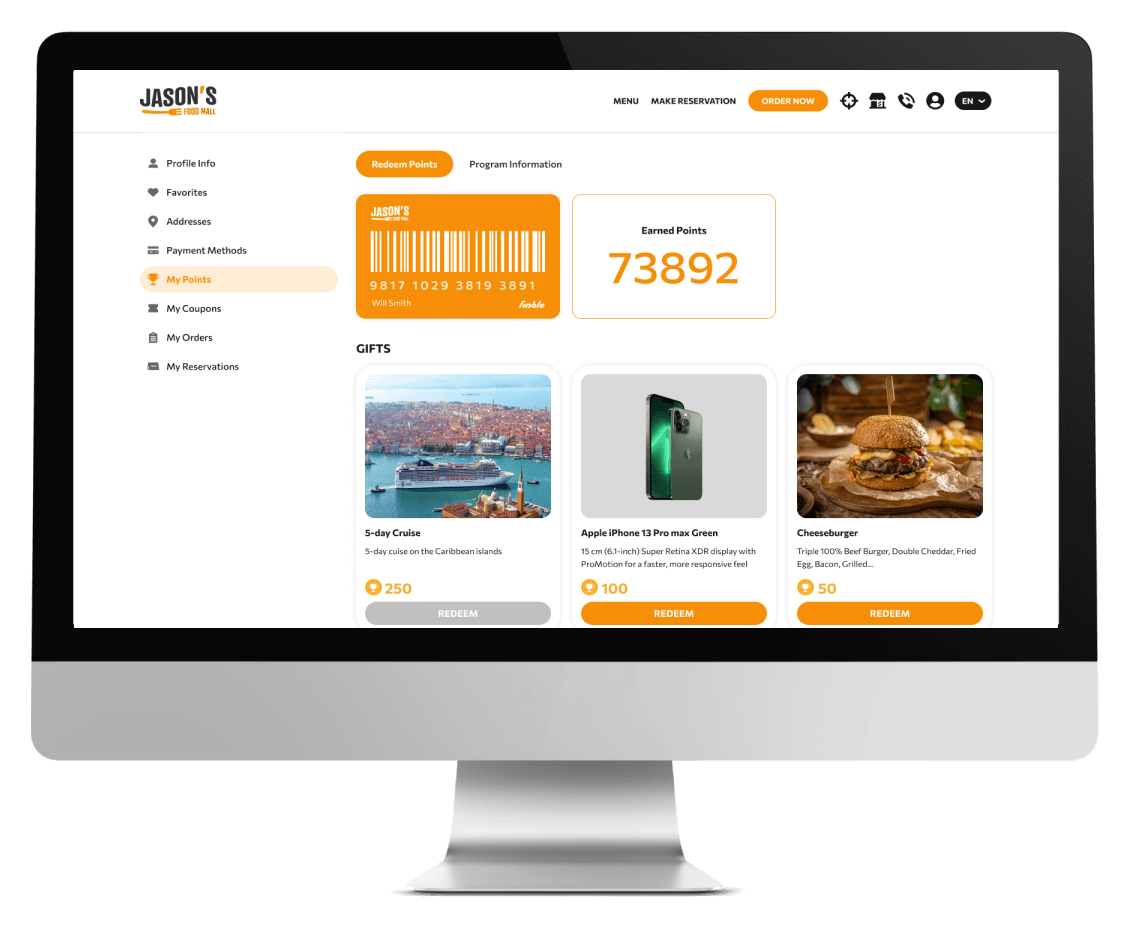
Redemption options include coupons, discounts or 3rd party gifts. More specifically:

COUPONS

COUPONS

Redeem points for coupons that are linked with an offer e.g. 50 points for a free coffee or 100 points for 20% discount on your next party order over $100.
DISCOUNT

DISCOUNT

Redeem points on checkout as direct discount e.g. Total basket is $10, use 200 points to get a $2 discount. The multiplier/ratio of points to currency is configurable.
3RD PARTY GIFTS

3RD PARTY GIFTS

Redeem points with 3rd party gifts e.g. Microsoft Keyboard or a free ticket to the theaters. Fimble also includes a gift delivery module to manage won and delivered gifts.

Other Options

Some additional options allow further configuration of the loyalty programs to better match the brand requirements. More specifically:

MULTIPLE PROGRAMS

MULTIPLE PROGRAMS

You can run multiple programs with different start and end dates e.g. Summer Special Rewards 2023
PROGRAM ACTIVATION

PROGRAM ACTIVATION

Apart from the dates, there is an option to dynamically activate or deactivate rewards programs.
MULTILINGUAL

MULTILINGUAL

As with all other content, rewards program pages can also be available in multiple languages.

Loyalty Cards

Loyalty Cards

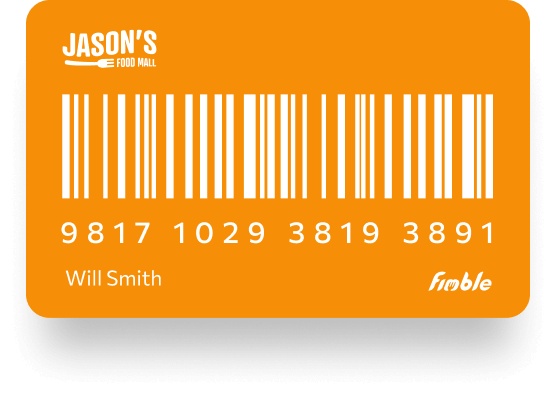
The loyalty card provided to the members can be either digital or physical.

Digital cards are assigned automatically to the customer upon enrollment and shown on the customer account (web & mobile apps).

Physical cards can be either picked up from a store or shipped through a dedicated Shipments module.

Both digital and physical cards can be scanned at the POS orKiosk. If no barcode scanner is available, the card number can also be typed for customer identification.
Supports multiple dynamic card types e.g. Customer cards, Staff cards etc.

Card data, number, balance, code, activation date and expiry date can also be edited manually.

Rewards Monitor

Rewards Monitor

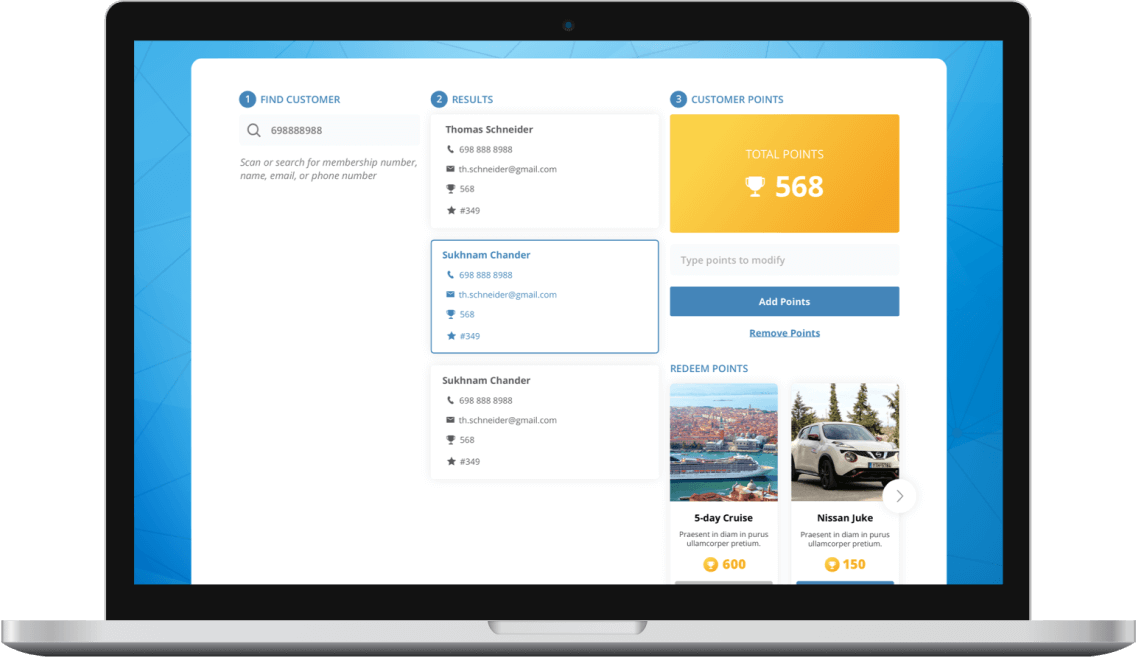
An optional Rewards Monitor screen allows store employees to have full control of customers' rewards. More specifically:

  • Search for card validity
  • Validate points
  • Redemption Data
  • Manually add/remove points
  • Manually redeem points with coupons & gifts

Detailed Analytics

Detailed Analytics

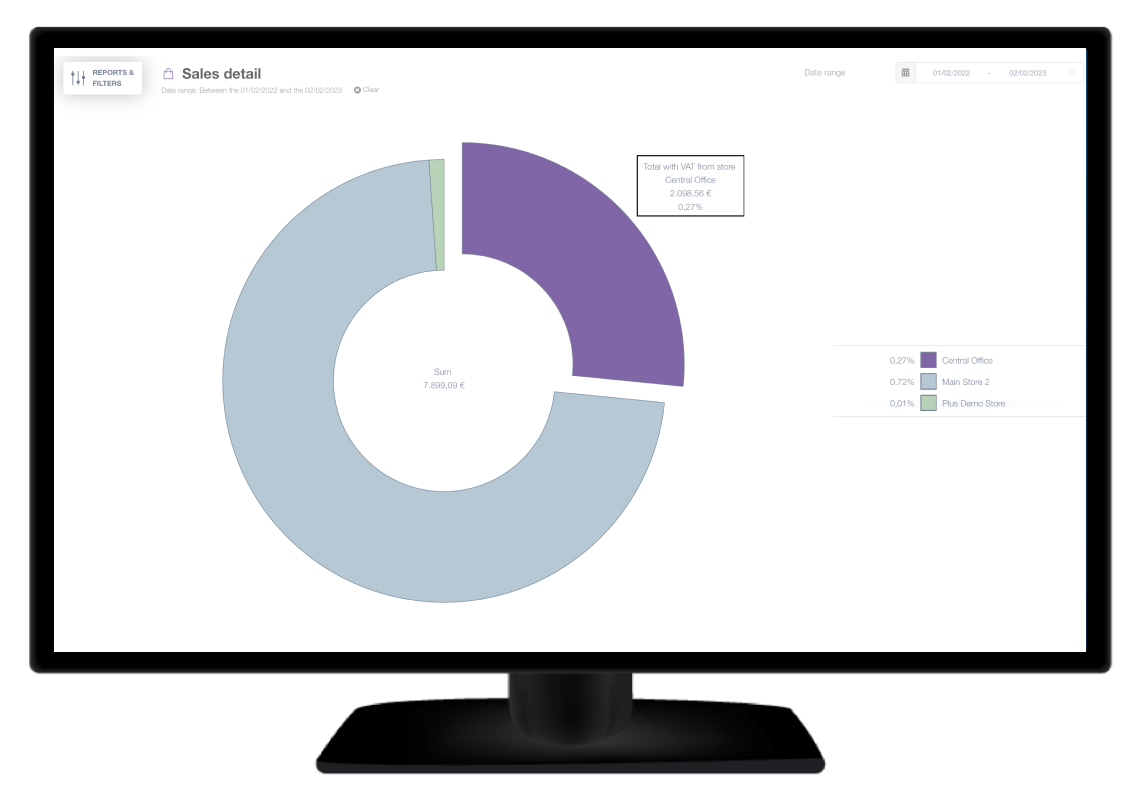
A set of reports includes analytics for:

  • Rewards Activity
  • Accumulation Data
  • Redemption Data
  • Total sales per rewards coupon
  • Total discount per rewards coupon

Rewards data like points, enrollment date, status, level etc. can be used to create dynamic customer segments and target specific communication and deals.

Custom Configuration

Additional custom configuration can also be applied to the rewards module to cover any tailor-made business needs including:

PROGRAM TYPES

PROGRAM TYPES

Introduction of custom program types e.g. 1 lottery ticket for every order over $10 and use that ticket to enter lottery for a chance to win a random gift.
POINTS CUSTOMIZATION

POINTS CUSTOMIZATION

Customized points accumulation and redemption e.g. Double points on happy hour, 1 gift every 3 orders etc.
ACHIEVEMENTS

ACHIEVEMENTS

Predefined achievements to increase frequency e.g. 100 points if you order on your birthday, 50 points if you buy 5 milk shakes etc.
GAMIFICATION

GAMIFICATION

Further gamification mechanics can be applied on a rewards program e.g. Hidden treasure/Find the ingredients by physically visiting a store and more.